
Create a Wallet
Understand the difference between creating and importing a wallet, then set up the account you intend to use.
Open guide →A multi-chain wallet, blockchain network and Web3 knowledge hub from imtoken
Manage assets across multiple networks, verify network context before transfers, connect to DApps with deliberate approval review, and build a practical understanding of blockchain networks, gas, transaction records, and wallet security.
Start with a task
Choose the task you are trying to complete, then review the network and security context before acting.
Understand the difference between creating and importing a wallet, then set up the account you intend to use.
Open guide →Keep seed phrases and private keys under your control and prefer offline backup methods.
Open guide →Confirm the receiving address and network together before sharing an address with a sender.
Open guide →Review the destination, network, amount, and gas before creating a transfer.
Open guide →Check the domain, account request, network, signature details, and permission scope independently.
Open guide →Wallet capabilities
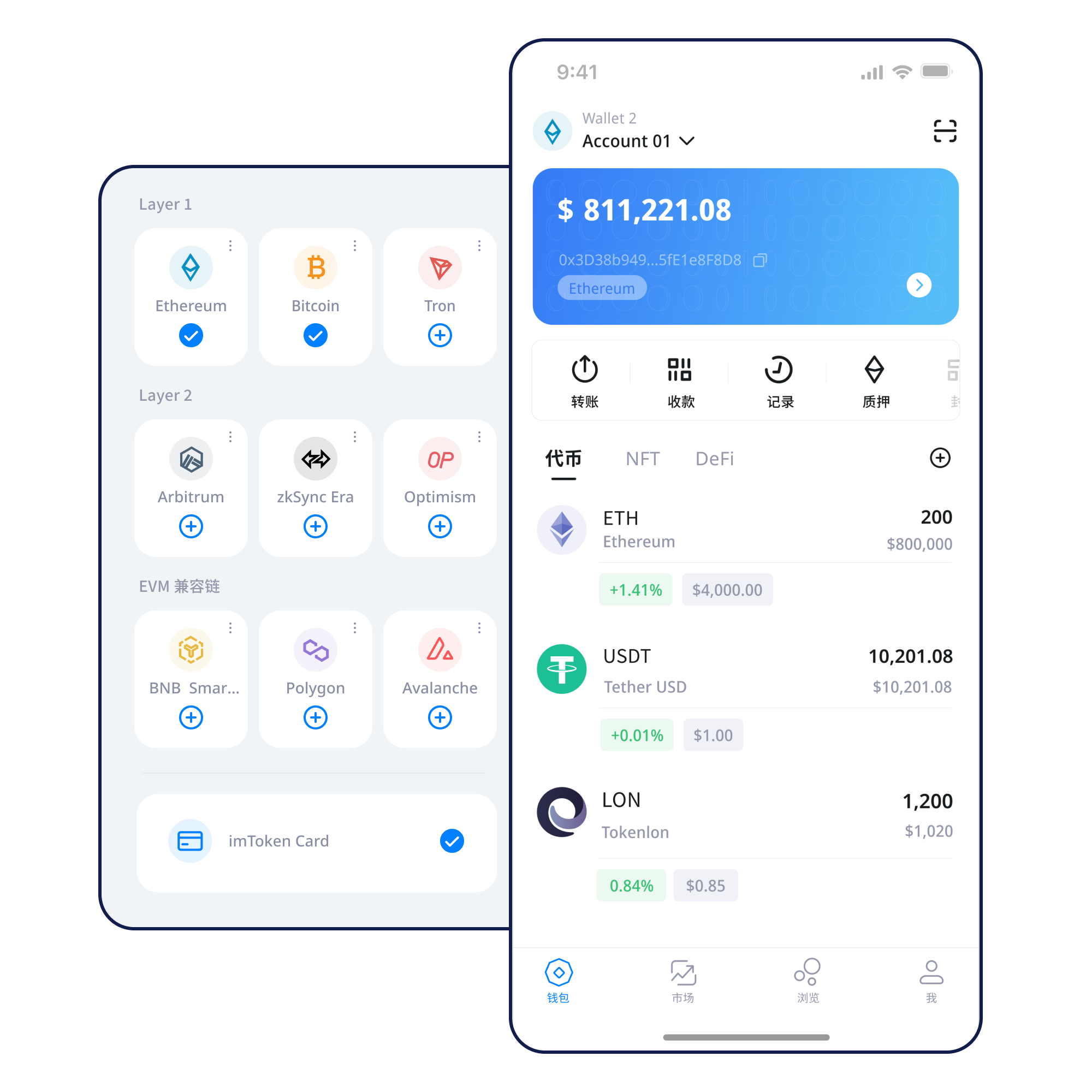
Understand network differences, confirm addresses in context, and read transaction confirmations before deciding that an asset has arrived.
Learn about multi-chain use →
View assets, manage networks, review transaction records, and approach DApp connections with clear checks.
Treat address, network, amount, gas, and transaction hash as one verification chain.
Transfer guide →Browser connections should be reviewed by domain, account request, network, permission, and session state.
Web connection guide →Keep seed phrases and private keys under your control, prefer offline backup, and independently review every signature and approval.
Open Security →
Explore networks
Network selection changes fees, confirmation paths, contract context, and how you verify an operation.
Multi-chain
Understand why network context matters when the same asset label can exist on different chains.
Explore network guides →Public Chains
Learn how nodes, blocks, transactions, confirmations, and explorers describe public-chain state.
Explore network guides →
EVM
Connect addresses, gas, smart contracts, tokens, and approvals into one practical EVM model.
Explore network guides →
Layer 2
Understand the base-layer relationship, bridging, cross-layer transfers, and confirmation paths.
Explore network guides →
Gas & Confirmations
Read fees and confirmation status as network conditions rather than fixed values.
Explore network guides →Wallet journey
Start from the official download entry and avoid download links sent by unknown third parties.
Choose whether you are creating a new wallet or importing one you already control.
Keep the seed phrase offline and never send a private key to another person.
Confirm the intended chain before you copy an address or start a transfer.
Check address, network, amount, gas, and the expected asset before submitting.
Use transaction hashes for verification and remove approvals you no longer need.
Web3 & DApp
Connecting a wallet does not mean every later signature or approval should be accepted. Review the domain, network, request content, and permission scope each time.
Open Web3 guideSecurity
Keep seed phrases and private keys under your control. Avoid sending them through chat, cloud notes, screenshots, or support conversations. Before transfers, signatures, or approvals, verify the network, address, request details, and permission scope. On-chain transactions are generally not reversible by a wallet alone, and third-party DApps and smart contracts can carry their own risks.
Open Security CenterAcademy
Start with addresses, seed phrases, private keys, networks, gas, transaction hashes, DApps, and approvals. These concepts are connected: an address is used on a network, a transfer creates a transaction, a transaction receives confirmations, and a DApp may request a signature or token approval. Learning the relationships makes it easier to recognize when an interface request does not match your intended action.
Read the getting-started guide →Ethereum & PoS
Understand Ethereum PoS, validator responsibilities, reward sources, network status, withdrawals, and exit flows before considering participation.
Learn about Ethereum staking →Staking does not guarantee returns. Rewards may change, exits may require waiting, validators can be subject to network penalties, smart contracts carry technical risk, digital asset prices can fluctuate, and third-party services can add independent risk.
PoS & Validators →Updates
Review wallet setup, network selection, transfers, and transaction lookup from the knowledge center.
Network context affects address handling, fees, contract interaction, and where a transaction can be verified.
A previous connection does not justify a new signature or token approval automatically.
All download actions on this site lead to the same local download page.
FAQ
Answers are kept directly in the page so the core information remains easy to read and review.
No. Seed phrases and private keys remain under your control. Do not send them to support agents, websites, or third-party applications.
An address is used within a specific network context. The sender and receiver should confirm the intended network before a transfer.
Gas is the execution fee mechanism used by many blockchain networks. The amount can vary with network conditions and transaction complexity.
A transaction hash is an identifier for an on-chain transaction and can be used to check status in an appropriate block explorer.
No. A connection only establishes a session. Each signature and approval should be reviewed independently.
A token approval allows a specified contract or address to spend a defined amount or scope of a token, subject to the network and contract design.
No. Rewards can change, exits may involve waiting, validators can be penalized, and smart contracts or third-party services can carry risks.
Generally no. Once confirmed by the network, an on-chain transfer cannot usually be unilaterally reversed by a wallet.
Use the unified official download entry and review the security checks before setup.